

Skip to content
ttdictionary
AI-powered dictionariesOffline dictionaries for Android & iOS

Every word you need. Offline, with AI when you want it.

104 dictionary apps in one family: bilingual, monolingual and themed. Search 100% offline, ask the built-in AI about any word, learn with flashcards and a daily word game.

Since 2014 · Serving millions of users worldwide

apps
104
languages
30
offline search
100%
building dictionaries since
2014
★★★★★4.65125,347 ratings40,954 written reviews166,301 in total
English German Dictionary: search screen
English German Dictionary: ai screen
Find your dictionary

Pick a language

All 104 apps

What is ttdictionary?

ttdictionary is a family of 104 offline dictionary apps developed since 2014. It includes bilingual dictionaries for 49 language pairs, monolingual explanatory dictionaries and themed dictionaries across 30 languages. Every app stores its database on the device, so search works without internet; an optional AI assistant explains words in context, and built-in flashcards, quizzes and a word game help memorise vocabulary. On Android each dictionary is a separate app on Google Play; on iPhone and iPad all dictionaries live inside one App Store app, TTdictionary. All apps are free with ads; the Pro subscription removes ads, lifts feature limits and raises the AI quota.

Dictionary apps
104
58 bilingual · 27 monolingual · 19 themed
Languages
30
Language pairs
49
Dictionary entries
9.9M
sum of the entry counts published per app
Platforms
Android (Google Play) · iOS (App Store)
Since
2014
Price
Free with ads · optional Pro
Google Play rating
4.65 ★ from 125,347 ratings

Language pairs

49 bilingual language pairs. Every bilingual app translates in both directions and searches both languages at once; a number marks pairs with several apps.

Blog

Latest posts

All posts
Google Play

What users write to us

Five-star reviews from Google Play, in the words of the people who use the apps every day.

More reviews
Omar Ibrahim Mohammad Attiyeh
★★★★★

I've chosen to rate this great app 5 stars although I've not read it in full. But having seen the useful & surprising content and layout, I couldn't go for less than 5. The request for me to rate the app came at a time I was really short on time, unfortunately. Time permitting, I could give you a further rating either in the short or long term. It should be based on an additional more focused reading. Best wishes & many thanx. Sincerely, Omar I. Attiyeh (Translator). 09/14/'24

Cat Lee
★★★★★

I enjoy this app very much. It gave me exactly what I was looking for - an app that would send me a notification each day suggesting a different poem. This has vastly widened my reading of poetry and has introduced me to authors I likely would never have heard of otherwise. The number of poems included is huge as is the range of subjects and nationalities represented. I especially love the inclusion of medieval poems. It includes a quiz to test your knowledge which is a fun distraction.

Dmitrii Drozdov
★★★★★

Great app. I use it for translating during reading an ebook. Works perfectly with moon+reader. However there are a few features I'd love to see added. 1) For practice in training mode I'd love to see an option for shuffling the cards in the set I just finished. 2) More options for choosing the cards for the training set. Not either random or the last ones but other options too. Something like 20 random cards in tge range of 100 and 200 last cards. 3) History of words or sets trained with stats.

John Bosco Lile
★★★★★

I rated it five stars because this dictionary is amongst the best dictionaries I had ever used. When you look up a word,it gives you multiple definitions in different perspective. It's also displays the word in its nouns, adjectival, adverbial etc and the overall part of it is that,it's very simple to use. I really appreciate this app and I can recommend it any English speaker who hasn't tried it before.

A Google user
★★★★★

Like all the other Dictamp apps that I love so much, this too also has all the same amazing features. I love that I can add my notes to entries, such as quotes from newspapers, magazines, etc, practice vocabulary and also add my own entries, thus creating the perfect dictionary. What's really amazing is that all my notes and entries are stored safely in Dropbox, that means I don't ever have to worry about losing any of them. Learning a new language has never been easier. Thank you guys!

A Google user
★★★★★

Like all the other Dictamp apps that I love so much, this too also has all the same amazing features. I love that I can add my notes to entries, such as quotes from newspapers, magazines, etc, practice vocabulary and also add my own entries, thus creating the perfect dictionary. What's really amazing is that all my notes and entries are stored safely in Dropbox, that means I don't ever have to worry about losing any of them. Learning a new language has never been easier. Thank you guys!

Kirill Zaitsev
★★★★★

Above and beyond in features. Great quiz function, customizable "reminder" function so I can expose myself to new vocabulary several times a day through app notifications. Could use font differentiation (like italics or brackets) in definitions for noun/verb/etc and others but other bonuses more than make up for it. Awesome work! Edit: could use a "history of reminders" function with deletable words.

A Google user
★★★★★

Being wildly enthusiastic about their Polish-English dictionary I looked at this dictionary out of curiousity. It too is very good, with a clear explanation of the meaning of the word, together with examples of its use in idioms and phrasal words. The word, get, is over-used in English and can be confusing to learners of English, but in this dictionary if you search for get, you get so many examples of usage that it helps to make a particular usage very clear.

Lilla Pragai
★★★★★

I really like this app, it does a good job of providing example sentences of a word, it's a little bit confusing with some things, but you get used to it, and this app is VERY customizable. You can choose which tabs to see on the top, and what color you want it to be, and you can have favourite words and practice words and there are little games you can play, I've tried other dictionary apps, but this one is by far the best for me.

Ugan Ita
★★★★★

Incredible reference document, making my learning process very easy and rewarding. Thank for this pain-staking effort. This app is the best! Easy to search out words either in English or French; very fast to load results and many examples to explain words. I Have been enjoying it for months now! Thanks a lot!

Frequently asked questions

How the apps work, what is free and how to get help.

What is ttdictionary?

ttdictionary is a family of 104 offline dictionary apps for Android and iOS, developed since 2014. It covers 30 languages with bilingual dictionaries for 49 language pairs, monolingual explanatory dictionaries and themed dictionaries. All apps share one engine: offline search, an optional AI assistant, text-to-speech, flashcards, quizzes and a word game.

Which languages does ttdictionary support?

The dictionaries cover 30 languages, from English, German, French, Spanish, Italian, Turkish and Russian to Azerbaijani, Kazakh, Uzbek, Ukrainian, Polish, Arabic, Persian, Japanese and Chinese. The full list with app counts is on the apps page; every language has its own hub page. The app interface itself is available in 9 languages.

Which language pairs are available?

There are bilingual dictionaries for 49 language pairs, for example English–German, English–Spanish, English–French, English–Turkish, Russian–English, Russian–German, German–Turkish and Kazakh–Chinese. Every bilingual app translates in both directions and can search both languages at once. The complete list is in the language pairs section of the home page.

Is ttdictionary available on Android and iPhone?

Yes. On Android each dictionary is a separate free app on Google Play (104 apps). On iPhone and iPad there is one App Store app, TTdictionary, which contains 93 downloadable dictionaries; install it once and download the dictionaries you need inside the app. There is no web or desktop version.

Are the apps free?

Yes. Every ttdictionary app is free to download and use, supported by ads. The optional Pro subscription removes all ads, lifts feature limits (for example the number of bookmarks and training sets) and gives a much higher quota of AI requests.

Do the apps work without internet?

Yes. The dictionary database is stored on your device, so search, word cards, favorites, flashcards, quizzes and the listening player all work offline. Internet is needed only for AI commands, online backup and downloading additional dictionaries.

Does ttdictionary include pronunciation?

Yes, through text-to-speech: every word and its description can be read aloud, each language with its own voice, and a background player reads whole word lists at 0.5×, 1× or 2× speed. The AI assistant can also write a pronunciation guide for a word. The dictionaries do not contain recorded human audio.

Does ttdictionary support flashcards and quizzes?

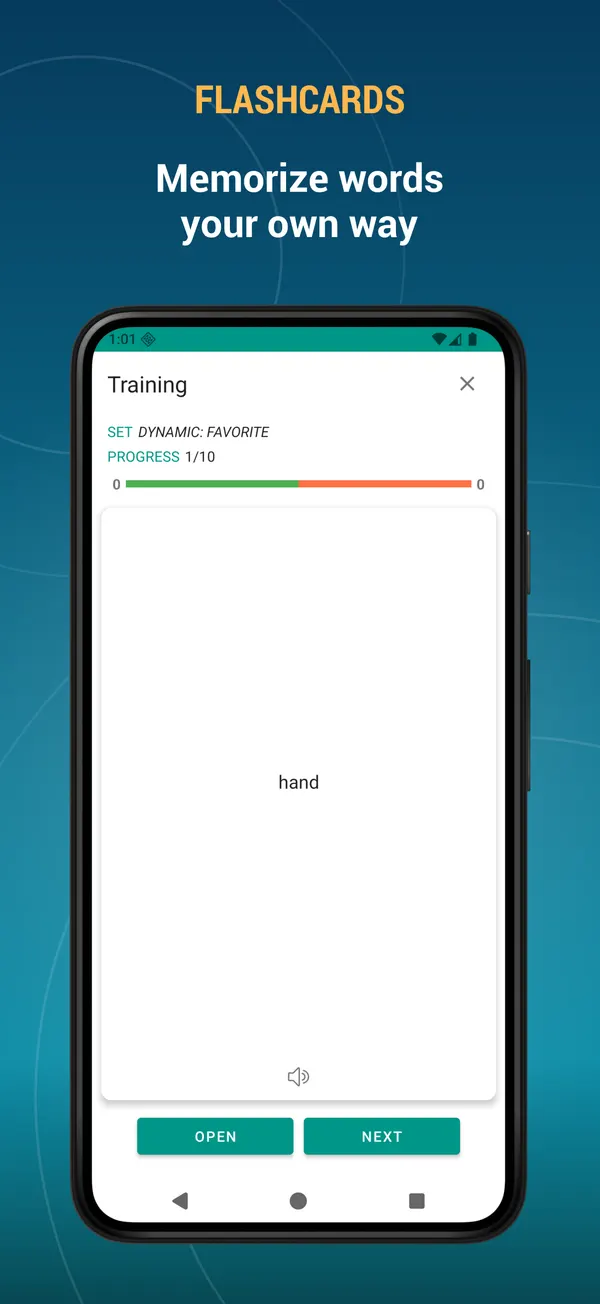
Yes. Every app has flashcards, a multiple-choice quiz, a listening test and a daily word game. Training sets are built from your favorites, bookmarks, history or a random selection; after a session you can repeat only the words you missed. On Android a home-screen widget runs a flashcard session without opening the app.

How are the dictionaries updated?

Each dictionary database ships inside the app and is updated together with app releases on Google Play and the App Store; the release notes for every version are listed on the app pages of this site. Between releases you can correct entries and add your own words in the app, and the AI assistant can find words the database does not have.

How do I get a dictionary on iPhone or iPad?

Install the TTdictionary app from the App Store, open the dictionary list, download the dictionary you need and activate it. On iOS all dictionaries live inside that one app; the site's app pages show an App Store badge when a dictionary is available there.

How do I find a dictionary for my language on this site?

Open Apps and tap a language chip, or go straight to a language page such as /apps/language/italian/. You can also filter by type: bilingual, monolingual, themed.

Can I add my own words?

Yes. Tap + on the search tab, type the word and its definition, or let the AI write the definition. Bulk mode adds many words from a list. Added words show a profile marker and can be used in flashcards and quizzes.

What are the lists on the search page?

You can add your personal lists next to the dictionary: favorites, bookmarks, added words, edited words, known words and unknown words. Activate a list to search only inside it, then long-press to select several words and favorite, bookmark, listen to, export, delete or train them at once.

How does the AI work and is it limited?

In the word card, tap the AI button and pick a command: explanation with context, synonyms, pronunciation guide, or find a word missing from the dictionary. Free users have per-minute, hourly and daily limits, and a short ad can earn extra requests. Pro users get a much higher quota.

How do I move my words to a new phone?

Use Backup in Settings: online backup with a Google sign-in, a local file, or Dropbox. On the new phone sign in or pick the file and restore. Favorites, bookmarks, notes, history, added and edited words and settings are all included.

How do I switch the translation direction?

In bilingual dictionaries use the direction switch in the toolbar: first language → second, second → first, or both at once. Voice search and text-to-speech follow the chosen direction.

I found a mistake in a dictionary. Where do I report it?

Write to [email protected] with the app name and the entry. For copyright concerns, send a DMCA notice to the same address with proof of ownership; we act on valid notices promptly.

Ready to look it up?

Free on Google Play and in the TTdictionary app for iPhone and iPad.

Get it on Google PlayDownload on the App Store

Since 2014 · Serving millions of users worldwide